


Data Visualization Courses

Participants learn the type of data analyses and the related types of visuals.
They learn how to use Microsoft Excel and PowerPoint to visualize data effectively.
Topics
- Data analysis types and objectives
- Using Excel to analyze data
- Arranging data in tables
- Using pivot tables to view only relevant data
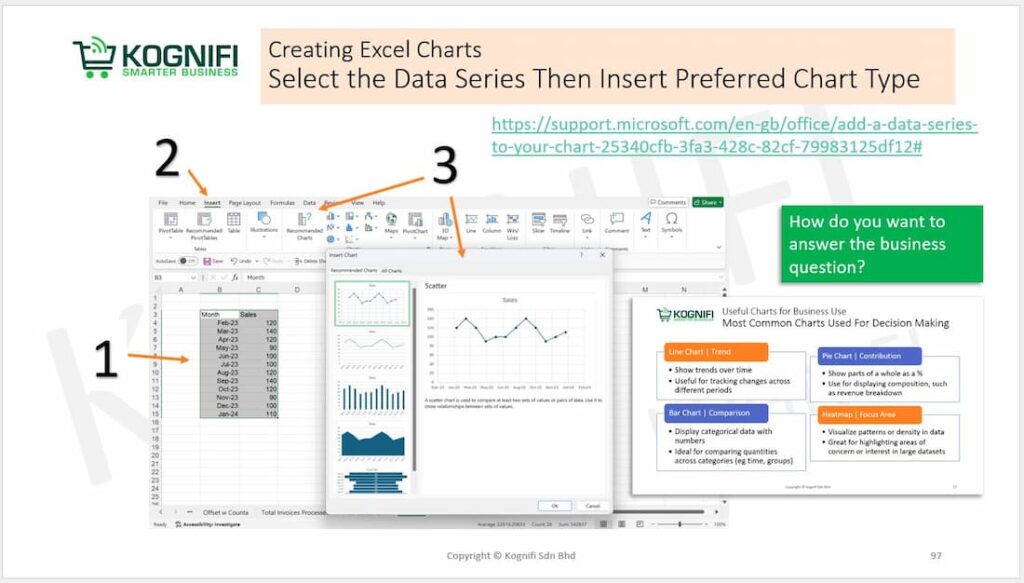
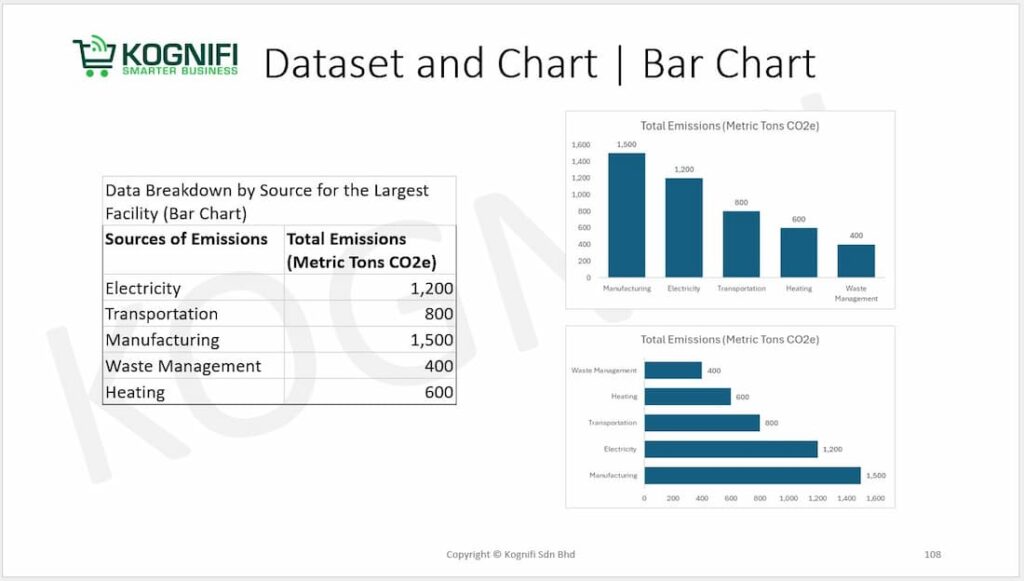
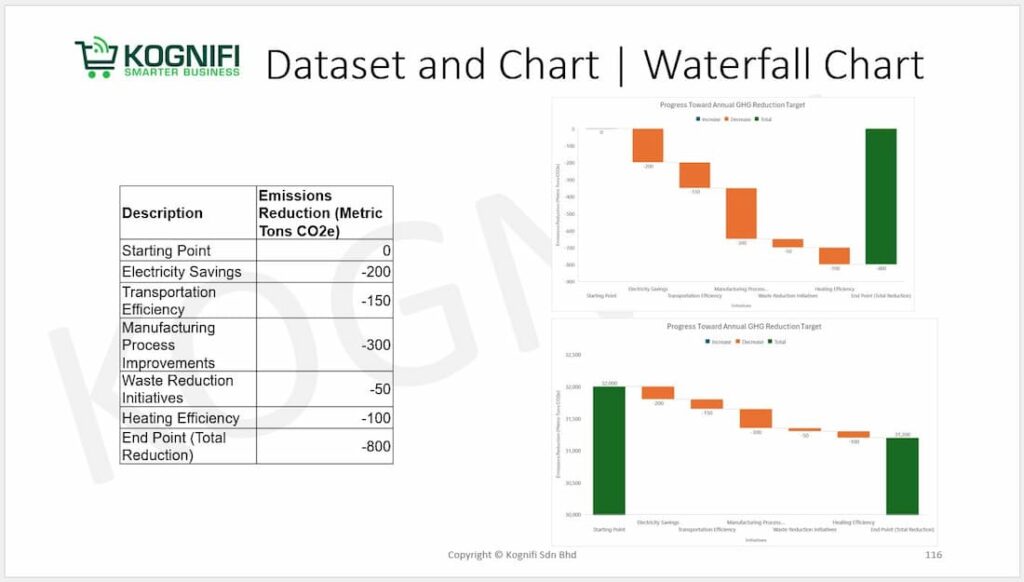
- Creating charts and graphs from data
- Applying data visualization principles in Excel and PowerPoint
- Applying data visualization principles to report analyses findings
- Using audience relevant visuals to report data-based findings
How to Visualize Your Data Using Microsoft PowerPoint
Microsoft PowerPoint is a versatile tool for creating engaging data visualizations for presentations.
It provides built-in features to transform raw data into professional-looking charts, graphs, and infographics.
Data visualization tools are software applications or platforms designed to help individuals and organizations represent data graphically, making complex datasets easier to understand and analyze.
Create impactful and professional data visualizations with Excel and Microsoft PowerPoint to convey your message and captivate your audience, with Kognifi’s trainer expertise.

Click the button below to contact Kognifi Customer Service (+6010-914 3599) on a working day (Mon-Fri, 9am to 5pm) for your enquiry on training course classes.
Or send in an enquiry form. We will respond within 24 hours on a working day.
What You’ll Learn in This Course
This hands-on training equips participants with essential skills, including:
- Master in data visualization principles for impactful storytelling.
- Using tools like Excel and PowerPoint to create professional visuals.
- Building dashboards and structuring data-based proposals.
- Sequencing visuals for decision-driven presentations.
You’ll gain the ability to confidently present data that drives decisions and leaves a lasting impression.
There are 4 modules in this course
Module 1 · Data Visualization Techniques for Impactful Visuals
Participants will get to know data visualization principles and techniques. They learn how to select the right visuals to get the relevant impact from their audience.
Module 2 · Data Visualization Tools to Create Meaningful Reports
Participants learn the type of data analyses and the related types of visuals. They learn how to use visuals to structure and report the results of data analyses. They learn how to use Microsoft Excel and PowerPoint to visualize data effectively.
Module 3 · Data Storytelling to Communicate Analysis Results
Participants learn how to sequence results with visuals and storyboards. They learn how to create dashboards and manage deep dives with PowerPoint and Excel.
Module 4 · Presenting Proposals with Actionable Data
Participants learn how to create proposals with Microsoft Word, Excel and PowerPoint to activate the audience to make decisions. They learn how to combine visuals sequentially into a decision flow presentation and report.
What is Business Presentation with Data Visualization
Business Presentation with Data Visualization is the practice of incorporating graphical representations of data into business presentations to communicate insights, findings, or recommendations in a clear, impactful, and engaging way.
It leverages visual elements like charts, graphs, and infographics to simplify complex information, highlight key points, and support decision-making.
Read more about What is Data Visualization? and Data Visualization Course in Malaysia
Key Components of a Business Presentation with Data Visualization:
- Objective Setting:
- Define the purpose of the presentation (e.g., reporting results, proposing strategies, or analyzing performance).
- Identify the key message or insights to communicate.
- Data Selection:
- Choose relevant and reliable data to support the narrative.
- Ensure data aligns with the presentation goals.
- Visualization Design:
- Use appropriate visualization types (e.g., bar charts, heat maps, or dashboards) to represent data effectively.
- Prioritize clarity, simplicity, and visual appeal.
- Storytelling:
- Structure the presentation to tell a compelling story.
- Use visuals to emphasize main points, transitions, and conclusions.
- Engagement Techniques:
- Incorporate interactive elements or animations where applicable.
- Use consistent design themes to maintain professionalism and focus.
Upskills your data skills with Kognifi
Participants Feedback

“The training sessions were well taught and will be useful for my daily work.
The techniques used (etc discussion and activity) were effective. This will help me to enhance my data analysis capability and data presentation skill and able to derive insights from data for decision-making proposals”
Maryam, Senior Executive
“”Very good and clean explanation from Sir Loga. Looking forward to apply all those knowledges in daily works.
Thanks for sharing. Hope we can cross path again in the future.””
Tan, Engineer, R&D




Unlock Your Skills Potential
Why should you choose Kognifi?
A certification from Kognifi can make a significant impact on your professional growth.